WiFi is an essential part of daily life.
Over 294.15 million Americans spend, on average, six hours a day interacting with their mobile devices. Our growing reliance on the internet has created a demand for reliable WiFi access everywhere.

Over 294.15 million Americans spend, on average, six hours a day interacting with their mobile devices. Our growing reliance on the internet has created a demand for reliable WiFi access everywhere.
They are increasingly expected to provide WiFi access to customers and clients.
As of Jan 2022, there are 32.5 million SME’s in the US, almost all of which use WiFi.
64% of surveyed small businesses use social media in marketing.
96% of Americans shop online via e-commerce, sometimes instore.
25% of businesses will adopt new WiFi technology such as SD WAN within the next 2 years.
Add to this the burden of customers browsing the internet or streaming media on their own devices while instore, and a standard WiFi setup can quickly become overloaded.
The WiFi setups used in our homes aren’t robust enough to handle the load required to keep a modern business running and online.
Our culture requires companies to always be “on,” and the slightest delay can cause serious setbacks. This is especially true in industries where systems incorporating artificial intelligence (AI) and machine learning are part of a company’s essential framework.
Fortunately, companies have the option of enterprise wifi. These advanced networks use better equipment, more access points and strategic design to create a web of connectivity on which business owners, employees and customers can rely.
Let's take a closer look at enterprise WiFi solutions and examine how you can choose the best setup for the specific needs of your company.
Home WiFi setups consist of a modem and a router with enough power to handle internet use in a home of average size. Regular browsing, gaming and streaming are all supported if multiple users don’t demand large amounts of bandwidth at the same time.
The same equipment breaks down when used in an office building, retail store, healthcare facility or other large public location. Something stronger and more robust is needed to support the increased demands in these settings. This is where Enterprise WiFi comes in.
Access is controlled by an administrator to ensure only authorized users can connect. In some ways, it is a scaled-up version of home WiFi designed to handle the higher demands of businesses and public institutions.
|
Consumer WiFi
|
Enterprise WiFi
|
Used to define a single network inside a larger setup
and its successor, WPA2, are the most common protocols used in enterprise setups. Since WPA can be vulnerable to attacks, WPA2 was subsequently developed.
In WPA, an authentication server certifies pre-shared keys, or PSKs, for the network, and these are the passwords used to control access to the network.
Using the Advanced Encryption Standard (AES), WPA2 is trusted by the U.S. government to encrypt top-secret information. WPA2 also has its potential security issues, but there is an enterprise-level version of the protocol known as WPA2-ENT designed to offer better security for corporations.
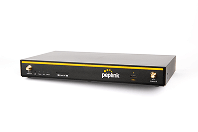
Built for reliability, the BR1 Mini 5G features multiple WAN options, including 5G WAN, Ethernet WAN, and WiFi WAN.
Dual SIM design with auto-failover allows the use of two SIM cards from different carriers for continuous uptime.
The multi-WAN interface makes this easy to integrate with Starlink or a CPE model from your ISP. Using SpeedFusion, this router allows bonding and load balancing multiple connections to create an unbreakable high-speed network.
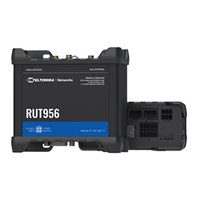
The RUT956 by Teltonika Networks is a C1D2-certified industrial cellular router that combines 4G LTE, WiFi, and GPS.
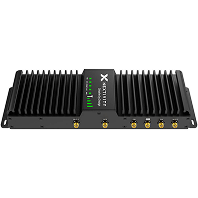
The Nextivity SHIELD FirstNet MegaFi Fixed HPUE is the highest-powered cellular router available to keep first responders connected in fixed locations, such as public safety answering points, command centers, offices, and remote sites.
Enterprise WiFi aims to provide the best possible connection and experience for businesses and customers. This requires a specific approach to setup, including where routers and access points are placed.
Consider the extent of coverage needed and where potential bottlenecks can occur.
Finding a reliable provider for your enterprise wifi solution is just as important as choosing the right equipment and designing a great setup. Industry magazines and websites consider these providers to be some of the top choices available to businesses:
Each provider has its own solutions and hardware packages, so it’s necessary to review the offerings to find a company with the type of system you need and the security your business requires. Look for a provider offering an initial consultation, and use this time to ask questions about setup, tech support and services.
You may be able to bundle several services together to save money. Some providers not only offer enterprise WiFi solutions but also cloud management and integration with IoT devices. Ensure your chosen provider also offers support for mobility and scalability.
Many different industries rely on enterprise-level systems to support operations and provide a positive experience for users. In each setting, high-quality WiFi equipment, strong security and strategic management is essential for goods and services to be delivered.
College students need reliable WiFi no matter where they are on campus. An enterprise system allows access from computer labs and mobile devices and can stand up under the strain of thousands of students working on projects, streaming media or keeping in touch with their friends. Professors are also able to use internet resources to enhance their classes and work uninterrupted between lectures.
In elementary and secondary schools, data from personalized learning apps is managed and analyzed through a central network, requiring multiple machines to be in constant communication with each other. These online learning tools are becoming more prevalent and require the speed and consistent connectivity offered by enterprise WiFi.
The ability to prioritize bandwidth, limit access to certain services and block problematic apps gives educational WiFi administrators the control necessary to preserve functionality in academic settings.
If you run a retail store, restaurant or coffee shop, you know how much demand there is for free WiFi. From Starbucks to Target, an increasing number of retail establishments now serve as hotspots. Many people use these places as remote work stations, and retailers providing discounts through branded apps can benefit from offering customers an alternative to using up precious cellular data while shopping.
Business WiFi also serves as the backbone for automation in inventory management and customer relations. Modern retailers can use “smart” shelving to track quantities and send alerts to nearby warehouses when stock runs low. The flow of information must remain consistent to ensure popular items are always on the shelves, especially during busy seasons. Data relating to consumer preferences travels to CRM platforms when items are purchased, allowing retailers to create personalized shopping experiences through apps and online.
Cloud solutions for handling patient information are now standard in many clinics, medical offices and hospitals. Medical professionals rely on laptops and mobile devices to quickly locate patient information and record new data. There’s no room for error, and delays could be disastrous when a patient’s situation is critical. Each medical building must have total coverage with no risk of dead zones.
Enterprise-level connectivity has the power to keep an organization as large as a hospital “always on” while still providing high-quality WiFi access to those in waiting rooms. Hospitals in particular require an extensive network of access points with strict separation between the SSIDs for personnel and guests. Privacy and security are paramount in these settings.
From component parts to finished products, companies in the business of manufacturing finished goods for commercial and consumer use can’t operate without a strong internet connection. Smart devices are now at work in factories and warehouses, gathering information to ensure products are built correctly, shipped on time and delivered when expected.
AI and machine learning solutions require WiFi to communicate with each other and with the people overseeing the processes of manufacturing and distribution. The logistics of managing the constant flow of information relating to parts and materials relies on this ongoing stream of data. A dropped connection can lead to a backup on the manufacturing end as errors pile up and need to be corrected. The larger the business, the more of a load the WiFi connection must be able to handle to prevent an interruption in the supply chain.
Enterprise WiFi has the power to support your company’s extensive technology without slowing down or giving out. With the right equipment, a smart setup and a consistent management plan, you can run AI manufacturing machinery, allow your employees to work on their own mobile devices and offer the internet connectivity consumers demand.
After the pandemic many companies have continued to upkeep the work from home culture. To do this, they have moved many enterprise resources into the cloud. Employees need VPNs as well as good internet access to connect with the company's network. Zoom meetings, applications such as Trello and Office 365 are all a part of everyday life for many remote workers around the world. To do this businesses need robust, always on systems that protect their data at the same time. Providing employees with routers for their homes can give businesses better control on who uses their network, and what happens with their data.
Don’t settle for an underpowered consumer unit.
Get a professional-grade WiFi solution, ensuring maximum speeds with 99.999% reliability for dozens up to thousands of employees needing the best tools to be effective, productive, and future-proof.
At Signal Boosters, our team consists of industry telecom veterans who have formerly worked at AT&T and Sprint as well as some of the most skilled system integration teams across America.
Our motto: Provide solutions, not boxes.
This means we keep our service brand-agnostic with no upsells and sales jargon. We serve our clients 110% of the time, period.
If you have any questions or comments about improving your wireless in-building signal, we’ll be honored to help, and share our insights to enhance your experience.